
Source-based planning guide, not a played mission walkthrough. Labelled UI examples come from the official Steam launch trailer, which mixes recorded builds; use your current tutorial if its interface differs. Planning decisions below are editorial applications of sourced mechanics.
What should I learn first?
Battleplan lets you draw multi-stage operations and leave officers and companies to execute high-level orders. Slitherine’s launch briefing lists two tutorial levels alongside the 11-mission single-player campaign. Use the tutorials to learn selection, drawing orders and time controls before attempting a long campaign operation.
The first useful skill is a repeatable loop: pause → inspect → plan → observe → revise. The game supports pause, real-time play and fast-forward. Your learning goal is to understand what a formation does after an order, rather than to draw the largest possible offensive on the first attempt.
Build a first plan while paused
- Read the mission briefing. Identify the first objective and any deadline or condition the mission gives you. Keep those conditions visible in your plan; do not substitute a generic “capture everything” goal.
- Inspect the approach. Look at roads, settlements, woods and elevation between your formation and the objective. Compare the approach with the supply route you will rely on.
- Choose the responsible formation. Check its place in the order of battle and the units available to it. Decide which formation owns the objective before issuing supporting tasks.
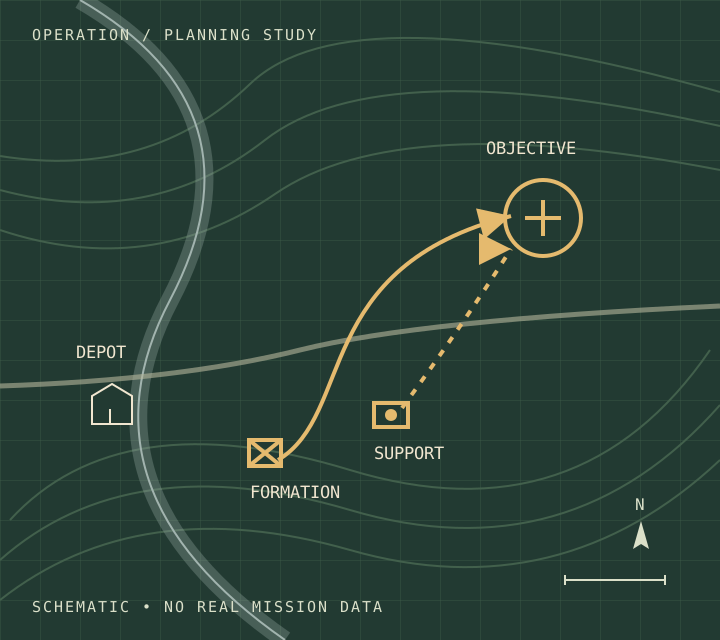
- Separate the approach from the next objective. Draw a readable initial stage. The published system supports multi-step, multi-unit plans, so add later stages deliberately rather than treating one long line as the whole operation.
- Assign support a purpose. For example, the official description supports preparatory artillery bombardment before a set-piece attack. Decide what the support is meant to achieve and when you will inspect the situation again.
When the Draw Order prompt is active, the official launch trailer at 0:40 instructs the player to hold left-click to draw a line or enclosed area. Confirm your selection and scope in the current tutorial before using that gesture; a drawing prompt alone does not establish which order takes priority. See the labelled video evidence.
Before unpausing, explain the plan in a sentence: “This formation approaches this objective, supported by this task, and I review it when this condition changes.” If that sentence is unclear, simplify the operation.
Observe execution before accelerating
Unpause and compare the actual movement with the plan you intended. Start by asking whether the right formation is executing the right task; then inspect its condition and the support around it. Use faster time to skip an understood interval, and return to pause when the objective, front or unit condition changes.
- The approach is proceeding as intended: continue observing, then review before committing to another objective.
- The wrong units or area are involved: inspect the formation and order scope. See formation orders and direct unit control.
- Supply is running low: stop extending the plan and inspect its supply situation. The official description advises pulling back when units run low; use the supply troubleshooting sequence.
- The fight is different from what you planned: pause and reassess support, terrain and the objective before adding more orders.
Decide whether to continue, revise or withdraw
An objective reached is a review point, not an automatic instruction to keep advancing. Check the next approach and the force’s condition first. A captured depot can support an advance, but extending a front also changes the operation you must supply.
If the task remains coherent and the force can support it, plan the next stage. If the task is wrong, revise the formation’s objective. If only a local action needs attention, consider direct unit intervention. If units are low on supplies, follow the official advice to pull back rather than adding another unsupported advance.
These are decisions to make from the current battle state; there is no universal safe speed or supply percentage established by the sources reviewed here.
Review the army between missions
The campaign carries the consequences of your decisions forward. Before the next battle, inspect divisions that need rest, officers you want to retain, and available requisitions or upgrades. Slitherine confirms that wounded divisions can recuperate and officers can gain veterancy and quirks when kept alive.
Use that review to decide whether a formation should rest, be reinforced or take the next task. Exact recovery times and costs come from the current campaign screen; do not plan them from a generic fixed timetable.
Sources checked October 13, 2026: Steam product description, Slitherine product description, and October 2 launch briefing. Scope: the October 2026 release; exact executable build not checked. Source and version notes.